Connecting to your schedule…

Contractor & service business software

Run the business behind the work in one connected workspace.

Customer → Estimate → Schedule → Work → Invoice → Paid

Osrilo keeps Today’s Workday, Open Leads, Work, Recurring Services, Service Calls, Customers, documents, payments, Time Clock, Price Book, Profit, Team, and Business History connected so the next step stays clear.

ScheduleWorkCustomersPrice BookEstimatesInvoicesPayments
See the Workspace

No credit card required14-day Solo trial

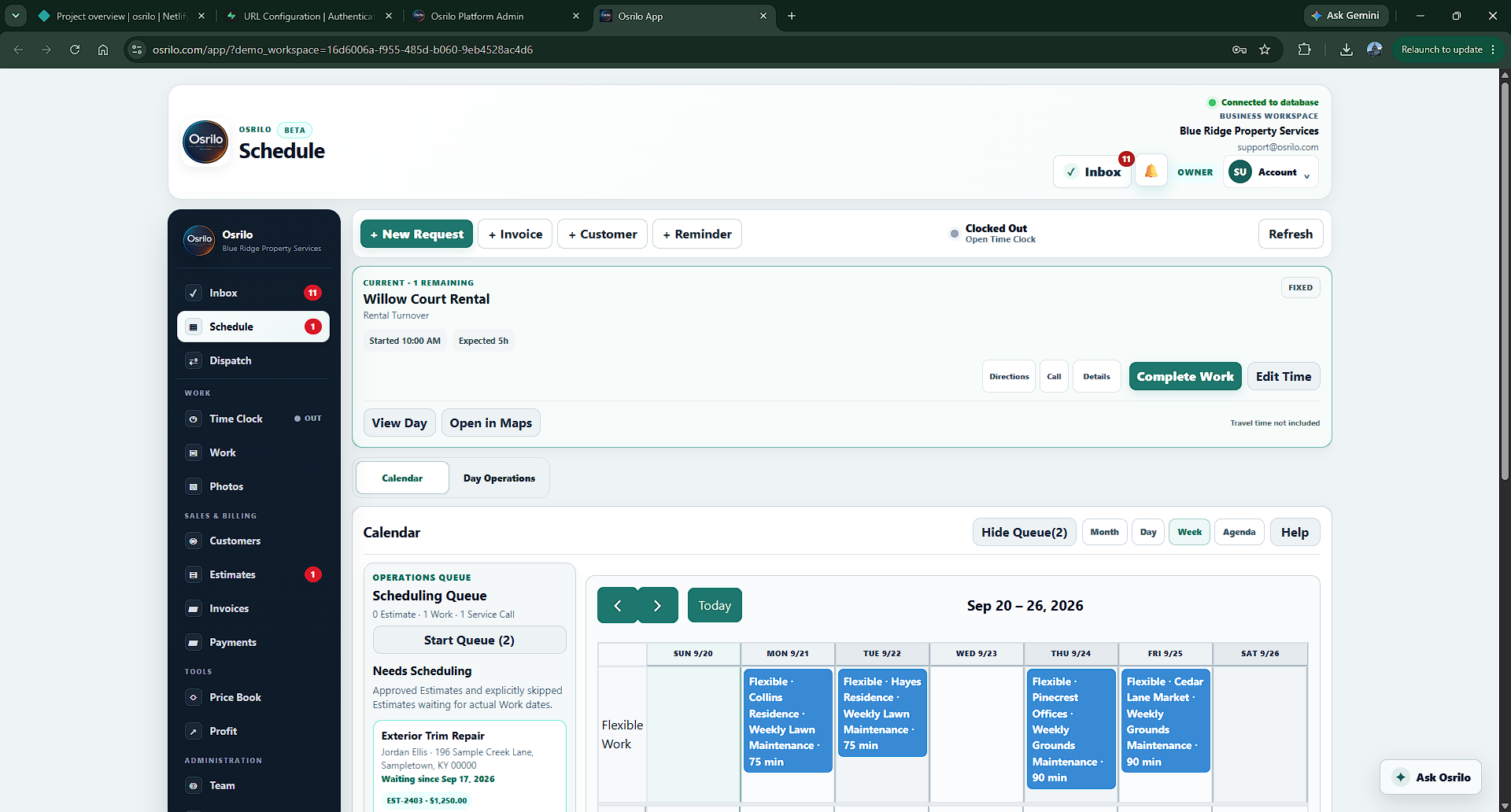
Current Osrilo Schedule showing Today’s Workday, Open Leads, Scheduling Queue, weekly Calendar, Service Calls, and Ask Osrilo
Current Osrilo workspace UI with entirely fictional Blue Ridge Property Services data.
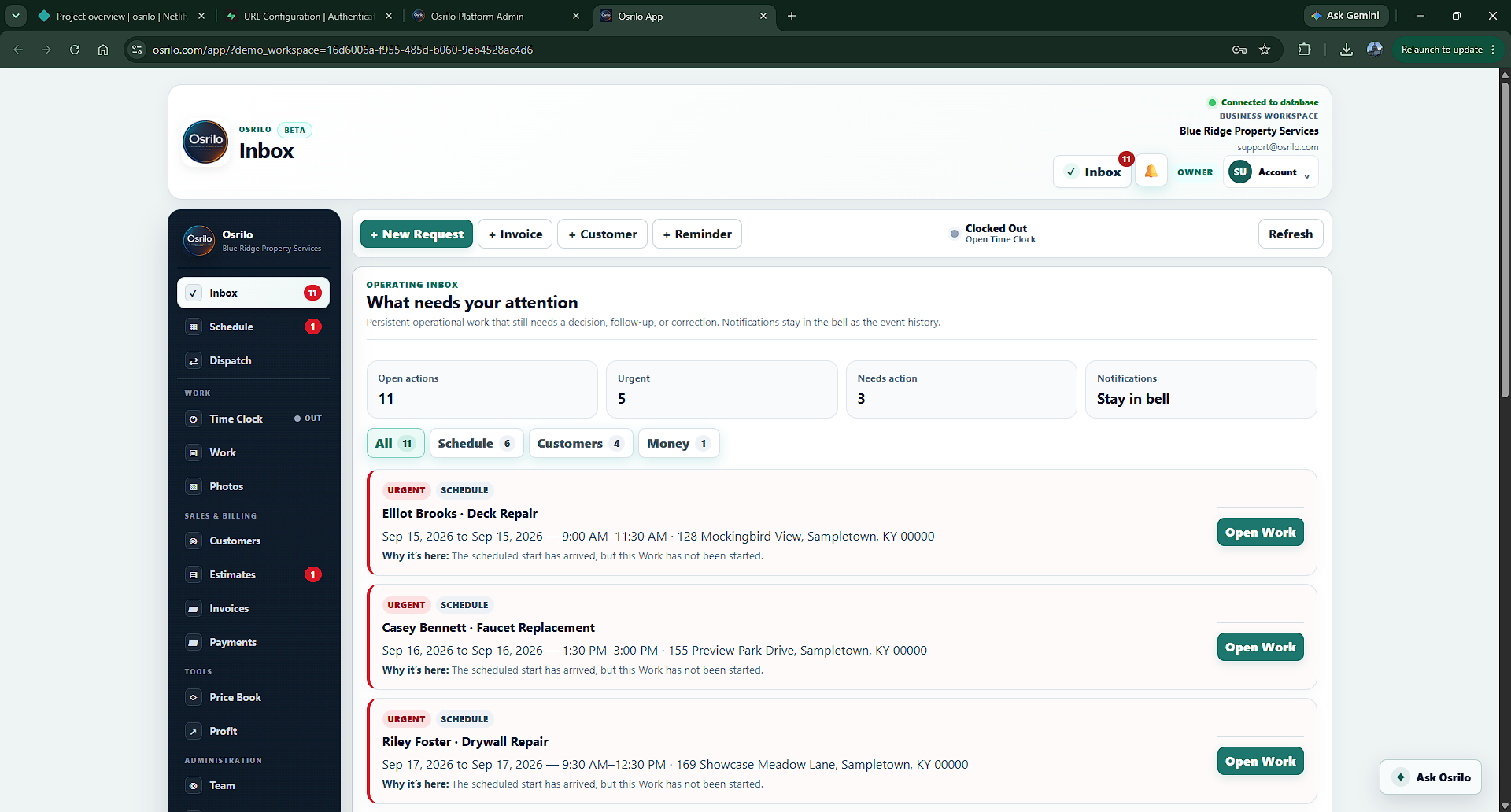
Today’s Workday + Open Leads
Work List + Recurring + Service Calls
$Estimates → Invoices → Payments

Why Osrilo

The field work is demanding enough. Running the business should stay clear.

Keep one connected business record moving forward instead of rebuilding the same Work in separate apps.

A Lead can become an Estimate, move to Needs Scheduling, land on the Schedule, be completed, invoiced, and paid while the Customer, Property, notes, photos, assignments, documents, and history stay connected.

Know the business. Organize the work. Represent it well.

01

See today without digging

Today’s Workday shows the day’s visits, service time, flexible Work, completion, and assignment gaps. Open Leads stays one tap away without cluttering the Schedule.

02

Keep the workflow connected

Work List, Recurring Services, Service Calls, Estimates, Invoices, Payments, Time Clock, Price Book, Profit, and Team use the same Customers and business record.

03

Ask the workspace

Ask Osrilo can answer supported questions about the workspace, calculate, explain how Osrilo works, and take you to the relevant page or record when navigation is available.

One clear workflow

Customer → Estimate → Schedule → Work → Invoice → Paid

The same Work record can move from Lead to Estimate, Needs Scheduling, Scheduled, In Progress, and Completed while its customer, property, documents, payments, notes, photos, and history stay connected.

01

Capture the Customer and Work

Start with a Customer or create Work directly. Open Leads keeps requests that have not moved into active Work easy to find.

02

Estimate and schedule it

Reuse Price Book Services, Materials, and Bundles, record online or manual approval, then move approved Work into the Scheduling Queue and Calendar.

03

Complete, invoice, and record payment

Start and complete Work, create the Invoice, accept supported online payments or Record Payment manually, and keep the balance tied to the connected Invoice.

Inside the current workspace

What you see on the website is what you use in Osrilo.

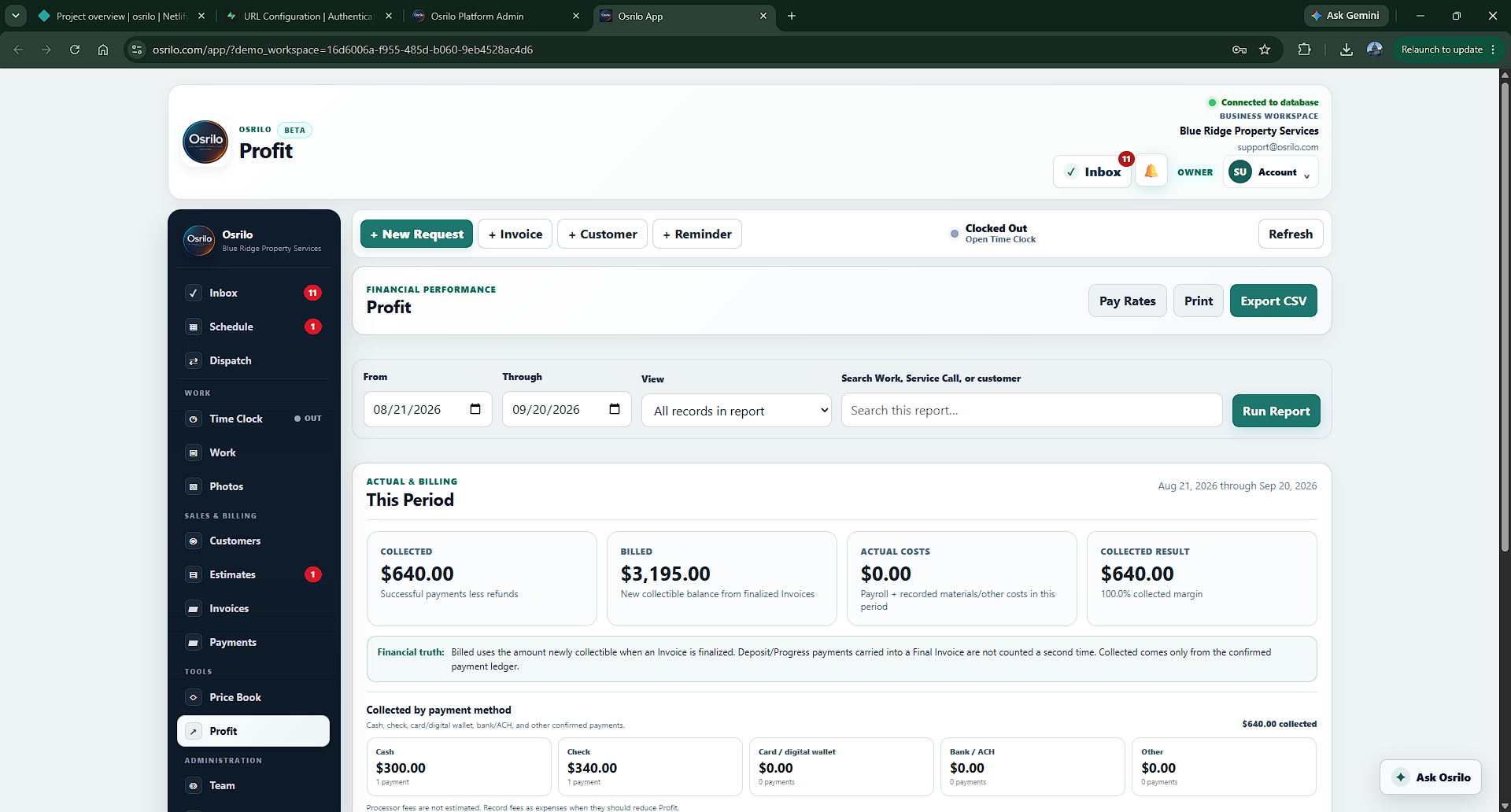
These views use the same names and structure as the current app. The screenshots contain fictional Blue Ridge Property Services data.

Schedule

Today’s Workday keeps the day clear.

See visits, service time, flexible Work, completion, assignment gaps, the Scheduling Queue, and the Calendar together. The Open Leads counter takes you straight to Work with the Leads filter selected.

Osrilo Today’s Workday with Open Leads, Scheduling Queue, Calendar, Service Calls, and Ask Osrilo
Work

Leads stay in Work instead of becoming another system.

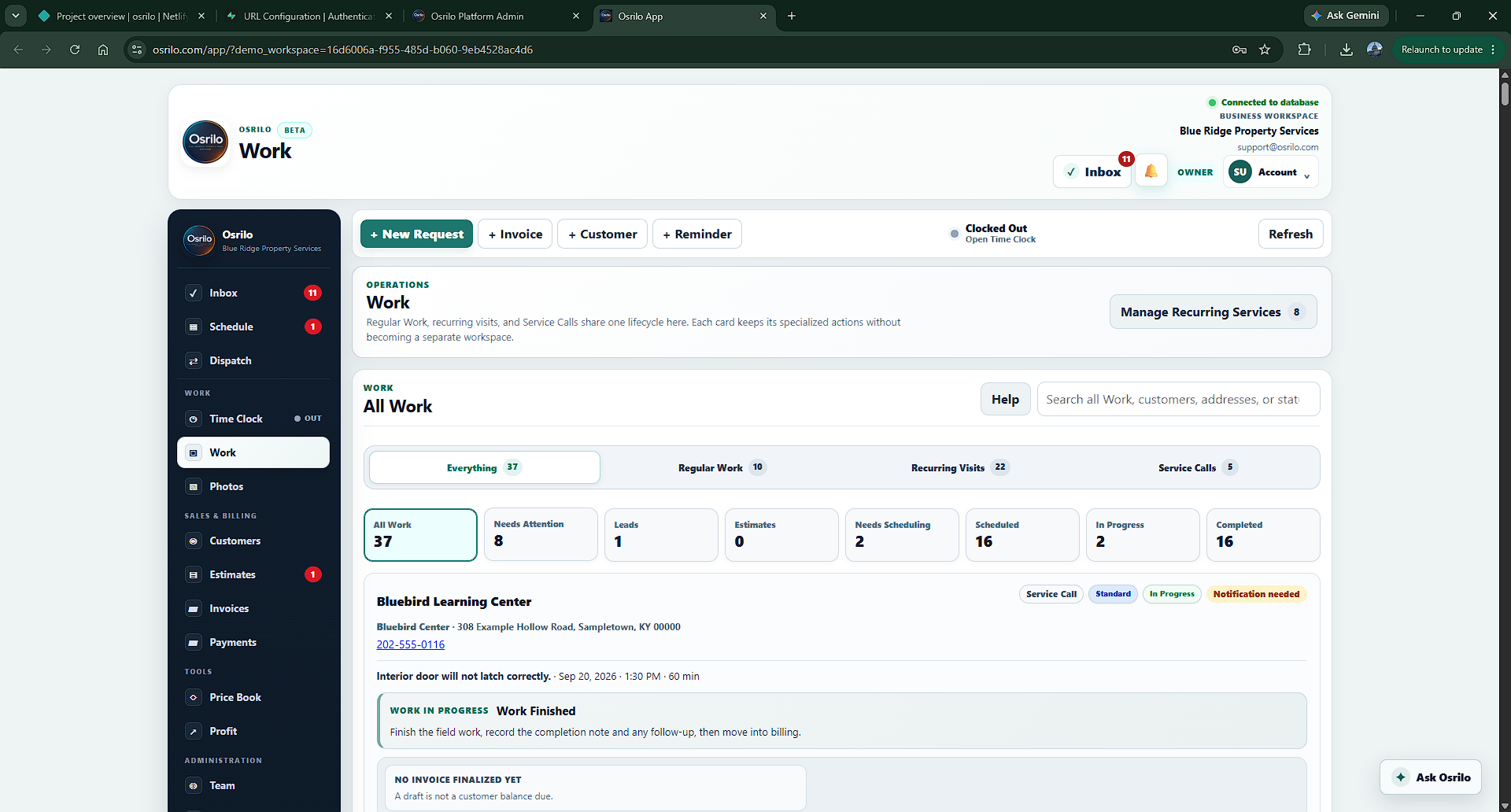
Work uses Work List, Recurring, and Service Calls tabs. Filter Work by Lead, Estimate, Needs Scheduling, Scheduled, In Progress, and other current stages while every card keeps one obvious next action.

Osrilo Work page with Work List, Recurring, Service Calls, and Leads filter
Price Book

Save the work you sell, not just a list of materials.

Price Book starts with Services, with Materials and Bundles close by and Labor Rates available as an advanced option. Save unit pricing, customer price guidance, estimated cost, reusable Estimate scope, and use Quick Price when only the price or cost needs to change.

Osrilo Price Book showing Services, Materials, Bundles, Labor Rates, unit pricing, and Quick Price

Real documents generated by Osrilo

See the documents your customers can actually receive.

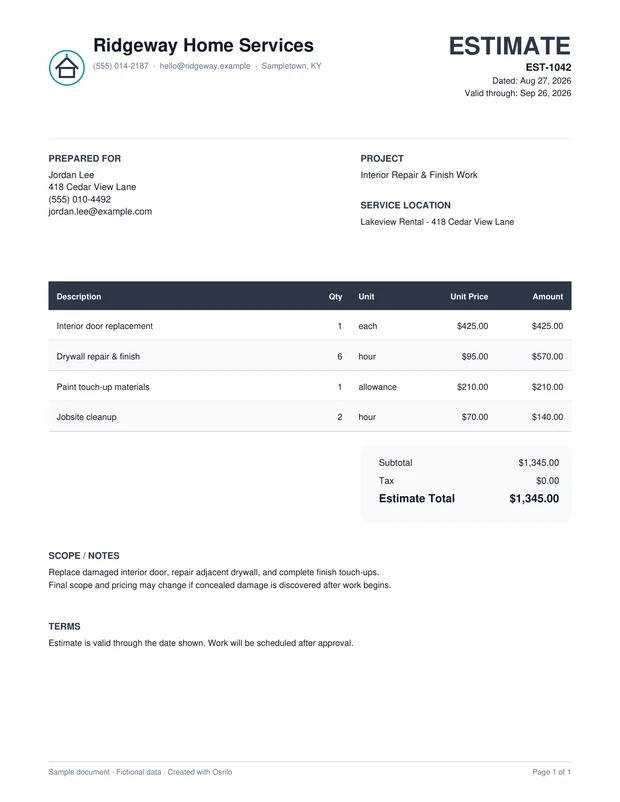
These are real Estimate and Invoice PDFs generated directly by Osrilo using fictional sample business, customer, project, and pricing information. They are not hand-designed marketing mockups.

Estimate

Clear scope and pricing before the work starts.

Generated by Osrilo
Preview of a fictional Osrilo Estimate document
View Sample EstimateReal Osrilo PDF · fictional sample information
Invoice

Carry the same professional look through payment.

Generated by Osrilo
Preview of a fictional Osrilo Invoice document with payment history and balance due
View Sample InvoiceReal Osrilo PDF · fictional sample information
The information is fictional. The documents are real.The layout, branding, line items, totals, and PDF output are produced by the same Osrilo document system used inside a workspace.

The current Osrilo workspace

The tools contractors use every day, connected instead of duplicated.

Osrilo keeps each workflow in its canonical place, then connects the records so Schedule, Work, documents, payments, crew activity, and history agree.

S

Schedule & Today’s Workday

Use Today’s Workday for day operations, Open Leads as a shortcut, the Scheduling Queue for Work waiting to be placed, and Month, Day, Week, or Agenda Calendar views.

W

Work & Open Leads

Keep Lead, Estimate, Needs Scheduling, Scheduled, In Progress, and Completed stages on the same Work record. Open Leads is a Work filter—not a duplicate lead database.

R

Recurring Services

Create recurring plans that generate normal Work. Flexible visits stay day-only and show expected duration instead of a fake appointment time.

SC

Service Calls

Prioritize calls as Emergency, Urgent, Standard, or Non-Urgent, then run them through Awaiting Scheduling, Scheduled, In Route, On Site, Follow-Up Required, Complete, or Canceled. Service Calls share Osrilo’s operating language while keeping their specialized dispatch rules. After completion, Ready to Invoice appears when billing still needs resolution.

C

Customers & Properties

Keep customer contact information and multiple Properties/service locations connected to Work, Service Calls, documents, photos, and history.

E

Estimates

Create customer-ready Estimates from custom lines or the Price Book, share them, and record customer decisions online or through the Manual Approval path.

I

Invoices & Payments

Create connected Invoices, track amount due and payment history, accept supported digital wallet, card, or ACH payments on paid plans, or Record Payment manually.

PB

Price Book

Save Services first, plus Materials, Bundles, and advanced Labor Rates. Use fixed, starting-at, range, and unit-based pricing with Quick Price for fast edits.

T

Time Clock & Team

Clock In, Break, Resume, and Clock Out; optionally link time to Work or Service Calls. Crew adds worker accounts, permissions, Work/Service Call assignments, scheduling, and in-app bell notifications.

P

Photos & Notes

Keep before, during, after, and general Work photos plus timestamped Work notes connected to the actual Customer and Work record.

Profit & Business History

Keep projected value, invoiced value, collected money, costs, and worker pay distinct. Paid access includes Business History and long-term document backup.

A

Ask Osrilo

Ask supported questions about Schedule, Work, Recurring Services, Service Calls, Customers, Properties, Estimates, Invoices, Payments, Time Clock, Team, Price Book, Profit, History, notifications, settings, plans, and how to use Osrilo.

Built for contractors & service businesses

Start as an owner-operator. Keep the same workspace when the crew grows.

Run Solo yourself, then move to Crew when you need worker accounts, permissions, assignments, crew scheduling, and time tracking without rebuilding the business workflow.

Home Repair
Flooring
Remodeling
Painting
Landscaping
Pressure Washing
Cleaning Services
Other Service Trades

Simple pricing

Simple pricing that grows with the way you actually work.

Solo is the full owner-operator workspace. Crew keeps the same system and adds worker accounts, assignments, crew scheduling, permissions, and included users.

Start simple$0/month

Free

Get the business organized.

  • 1 user · 20 MB operational storage
  • Customers, Schedule, Work, Estimates & Invoices
  • 14-day Solo trial with Price Book, Time Clock, Profit, Service Calls & recurring automation
  • After trial, paid operational tools lock but saved data stays preserved
  • Osrilo-branded documents
  • Customer Payments require Solo or Crew
Just you$19.99/month

Solo

Run the whole business yourself.

  • 1 user · 1 GB storage
  • Unlimited Work, Estimates & Invoices
  • Customers, Schedule, Time Clock & Price Book
  • Service Calls
  • Profit & projection tools
  • Digital wallets + card + ACH customer payments
  • Custom business branding
  • Business History + long-term document backup
Try the full core workflow for 14 days.No card required. Standard Free remains available after the trial.

14-day Solo trial

Use the Solo workflow before deciding whether you need a paid plan.

The first eligible owned workspace starts with a 14-day Solo trial. Use the paid operational tools during the trial; the 20 MB operational storage cap still applies. No card required.

Unlimited new WorkUnlimited issued estimatesUnlimited issued invoicesFull core workflow access

The 20 MB operational storage cap remains active during the trial. Worker accounts, Work/Service Call assignments, and crew scheduling require Crew.

Public Beta

Put Osrilo to work now—and help shape what comes next.

Osrilo is open to contractors and service businesses during public beta. Use it in real operations and tell us where the workflow can become clearer, faster, or more useful.

Send Feedback

Elevate the business behind the work

Bring Schedule, Work, Customers, documents, payments, and the crew into one connected workspace.

Start with a 14-day Solo trial. No card required.

Osrilo

Sign In

Open your business workspace.

Setting up a new business?
Need help? support@osrilo.com

Account Recovery

Reset Your Password

We’ll email a secure reset link.

Account Recovery

Choose a New Password

Create a new password for your Osrilo account.

Use at least 8 characters.

Osrilo

Create Your Account

Create the owner account.

Use at least 8 characters.

Personal Information

How should customers know you?

This identifies you across Osrilo. Your business identity is configured separately.

Verify Your Email

Enter your verification code

Enter the six-digit code we emailed you.

Verification sent to

Use the newest code.

Workspace Setup

Create Your Business

Create the workspace that will hold your customers, Work, documents, schedule, and payments.

First-Run Setup

Welcome to Osrilo

Let’s get your business ready.

Step 1 of 7Welcome
O

Welcome

Let’s get your business ready.

This takes a few quick decisions. You can change any of them later in Settings.

1Tell Osrilo what kind of service business you run.
2Choose how most of your work happens so Osrilo can emphasize the right views.
3Add the business details customers should see.
4Set your normal pricing and tax defaults, then connect payments now or later.
Progress saves to your workspace.

Osrilo

Create Your Password

Choose your password.

Use at least 8 characters.

Osrilo

Beta

Schedule