
Skip to content
Osrilo
  1. Home
  2. Contractor Scheduling Software

Contractor scheduling software

Contractor scheduling that works with a real workday.

Some visits have an exact time. Others have a date, an expected duration and a sensible place in the day. Osrilo keeps both kinds of Work visible without turning flexible work into a fake appointment.
  • Fixed appointments
  • Flexible day-only Work
  • Expected duration
  • Day Operations
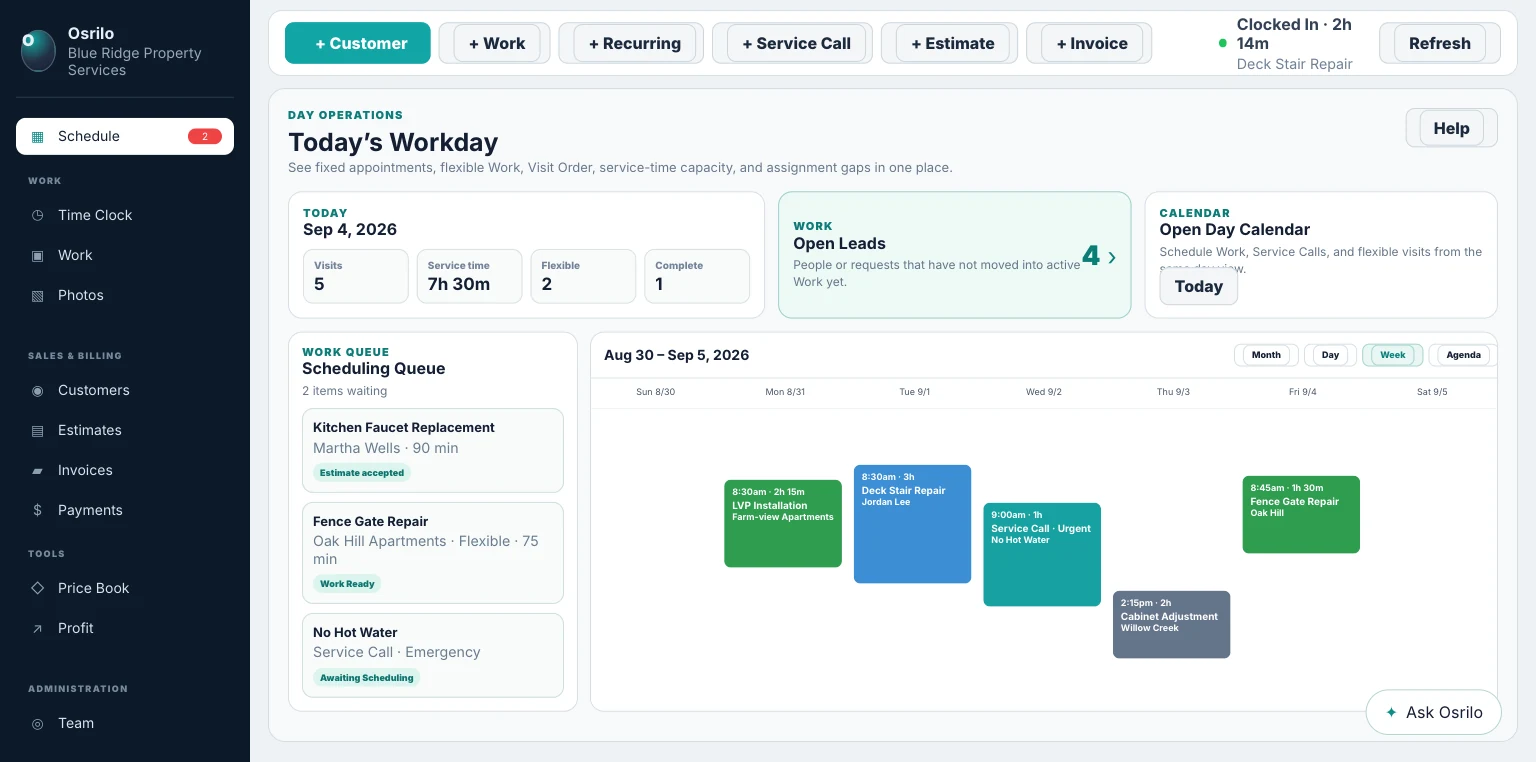
Osrilo Schedule showing Today’s Workday, flexible Work, fixed commitments, the Scheduling Queue and Calendar
Current Osrilo Schedule using fictional demonstration data.

Stop pretending every job starts at an exact time.

A contractor often knows the day and how long the work should take before knowing an honest arrival time. Osrilo records that truth directly.

01

Flexible Work

Choose the work date and expected duration without creating a fixed start and end time.

02

Fixed time

Anchor estimates, appointments or visits that really do have a promised time.

03

Leave unscheduled

Keep new Work in the Scheduling Queue until the business is ready to choose a day.

From new Work to the field

The Schedule does not become a second job system. It moves the existing Work record into the day and keeps execution attached to it.

  1. Create Work
  2. Choose flexible, fixed or unscheduled
  3. Review the day and saved order
  4. Start the real Work
  5. Complete it and continue to Invoice

Calendar first, operations close by

See the period and work the day without mixing the two.

The Schedule presents the Calendar and Scheduling Queue. Day Operations focuses on the active worker’s desk: today’s ordered visits, actual progress and finished outcomes.

Execution is the truth. A scheduled time does not automatically mean the Work started. Osrilo records actual start and completion when the worker or an authorized administrator confirms them.
Osrilo calendar and day operations workspace with scheduled and flexible contractor Work
Calendar, Scheduling Queue and Today’s Workday remain connected to the same Work records.

What stays connected to the schedule?

Scheduling is useful because it is attached to the operating record around the visit.

Customer and Property

Keep contact, service location and directions with the scheduled Work.

Assignment and crew

Crew workspaces can assign workers while Solo keeps the owner implicit.

Execution history

Actual start, finish, canceled visits and moved recurring visits remain part of the record.

Current scheduling limits

Osrilo’s F-R-E-E™ Intelligence—Flexible Routing & Execution Engine—helps review and order a contractor-selected workday. Its authority is deliberately limited:

  • Flexible Work is day-only; it is not a promised arrival window.
  • It does not move Work between days automatically.
  • Saved Day Order and expected service time help organize the day, but Osrilo does not promise live-traffic ETAs.
  • Map links can help open directions, while the saved Osrilo record remains the operating truth.
  • Worker assignments and multi-user crew scheduling require Crew.

Plan flexible Work without inventing an appointment.

Start the 14-day Solo trial. No card required.

Start Free